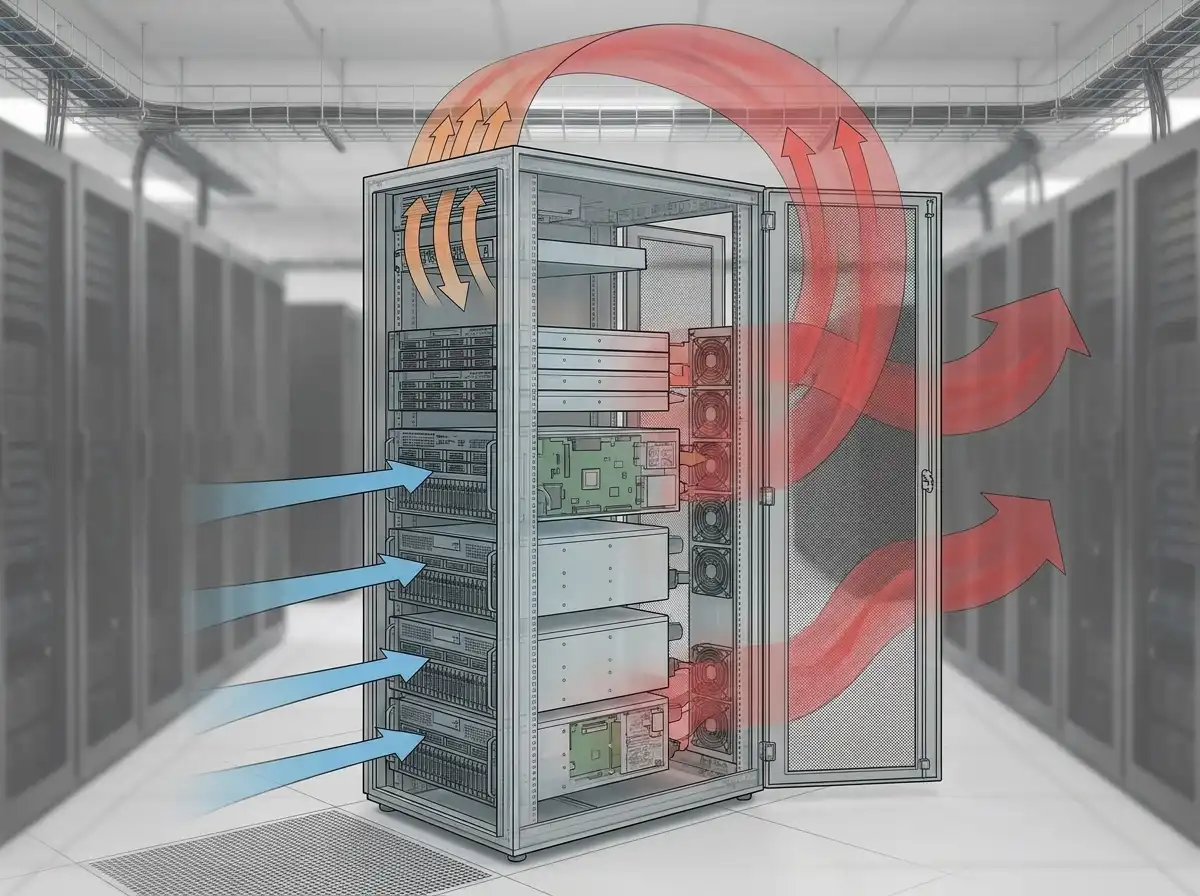
A server room can be cool at the wall thermostat while equipment at the top of a rack is already receiving overheated air. The room-average temperature may look acceptable, but recirculation, blocked airflow, a failed fan, or loss of cooling capacity can create damaging hot spots within minutes.
Server room cooling in Indianapolis is a business-continuity issue, not simply an occupant-comfort issue. Network equipment, storage, communications, security systems, and operational technology may all depend on a small space whose heat load continues after the rest of the building goes into night setback.
Measure the Air Entering the Equipment
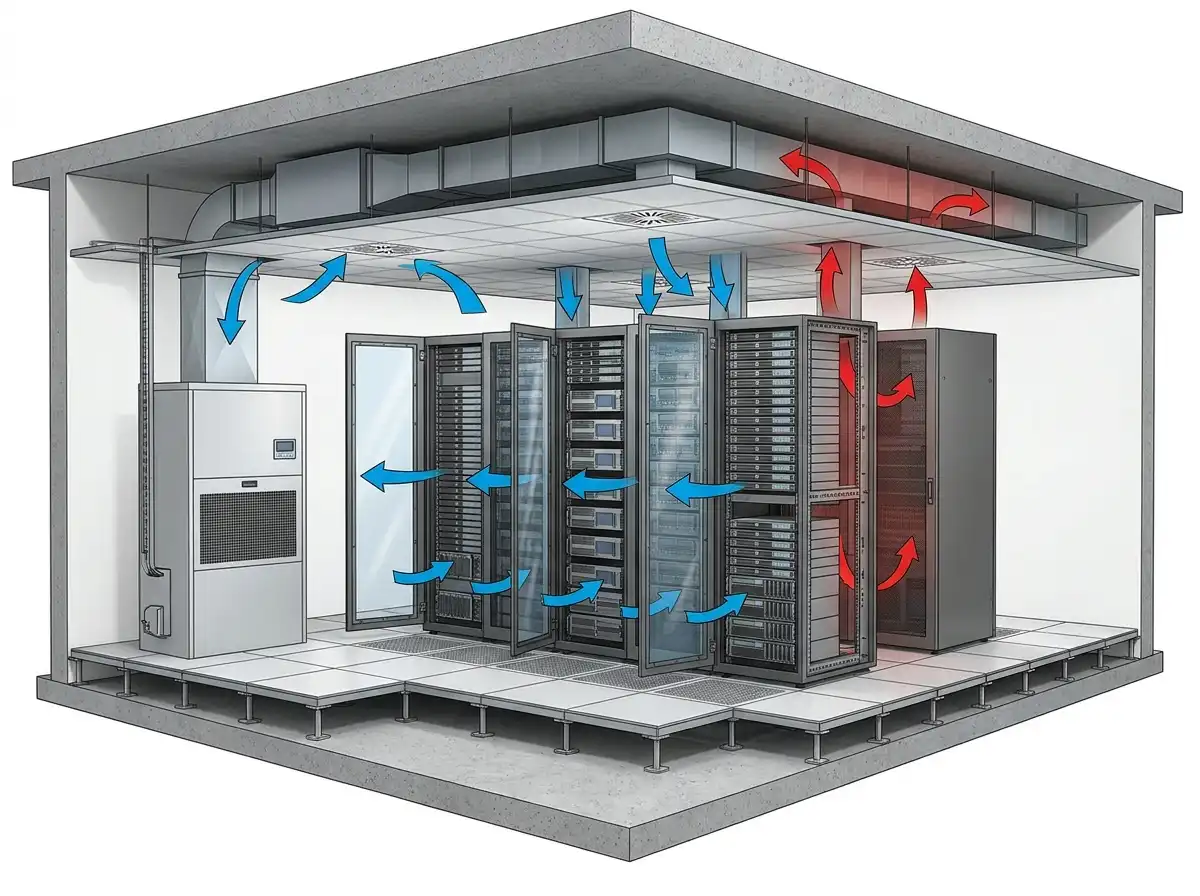
The most useful temperature is often the air entering the servers, not the air returning to the cooling unit or the reading on a wall across the room. Sensors placed at representative rack inlets—especially low, middle, and high positions—can show whether conditioned air actually reaches the equipment.
Return-air temperature remains useful for evaluating the cooling system, but it answers a different question. A high return temperature may reflect effective heat capture. A low room sensor reading can coexist with a hot rack inlet if supply air bypasses the equipment or hot exhaust recirculates. “A server room does not fail at the thermostat. It fails where hot discharge air finds its way back into an equipment inlet” says a Choice Mechanical lead commercial HVAC technician.
Six Failure Patterns That Threaten Server Rooms
1. Loss of Dedicated Cooling
A compressor, chilled-water valve, pump, fan, condensate safety, controller, or electrical supply can stop the cooling unit. If the room has no redundant capacity, temperature begins rising as soon as heat production exceeds passive losses.
2. Building HVAC Schedules Override a 24/7 Load
A server room served by a central rooftop unit or air handler may lose cooling after the occupied schedule ends. Weekend and holiday modes are common triggers. The room’s internal heat does not follow the office schedule, so controls must account for continuous or changing IT load.
3. Hot and Cold Air Mix Before Reaching the Racks
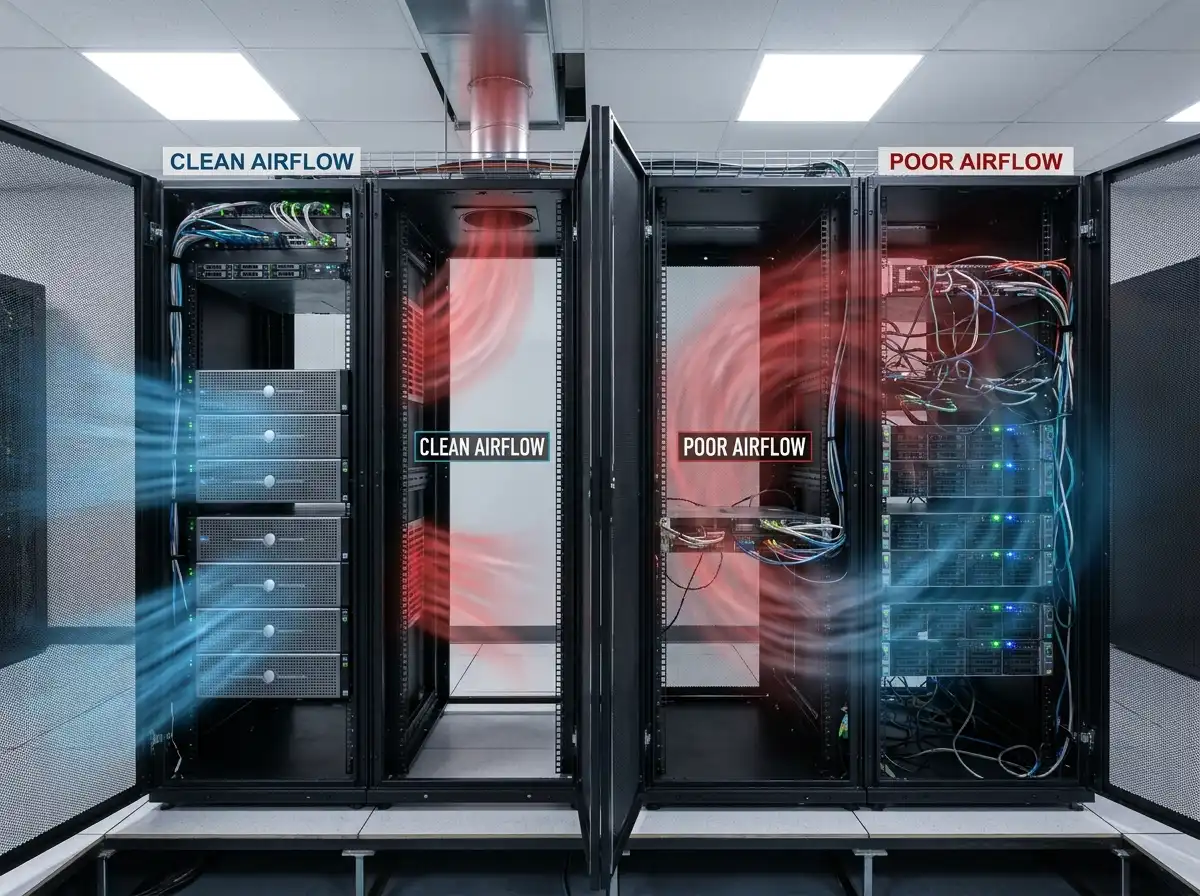
Missing blanking panels, open rack spaces, cable openings, poorly placed supply diffusers, and short-circuited returns allow hot discharge air to mix with incoming cold air. The cooling unit may deliver adequate capacity while airflow management prevents that capacity from reaching critical inlets.
4. Airflow Is Blocked Inside or Around the Rack
Cable bundles, stored boxes, closed doors, dirty filters, failed server fans, or equipment installed against the intended airflow direction can create local restrictions. Portable fans may move the hot spot rather than correct the path.
5. Cooling Capacity No Longer Matches the IT Load
Server density can grow incrementally. New switches, storage arrays, power supplies, and uninterruptible power systems add heat without triggering a formal cooling review. A room that operated reliably at commissioning may have no margin several years later.
6. The Alarm Works, but the Response Does Not
A sensor may detect high temperature yet send email to an unmonitored inbox. The alarm may lack escalation, identify only the room rather than the rack, or activate after equipment has already reached a critical inlet condition. Alarm testing must include the human response path.
Server-Room Symptom and Risk Matrix
| Observation | Possible meaning | Response priority |
|---|---|---|
| One upper rack inlet is hot | Local recirculation, missing blanking, poor supply delivery | Investigate airflow promptly before load increases |
| All rack inlets are rising | Loss of capacity, fan, power, chilled water, or room cooling | Activate the approved high-temperature response |
| Cooling runs continuously | High load, reduced capacity, dirty heat-transfer surfaces, or poor airflow | Assess margin before peak outdoor conditions |
| Temperature rises only at night | Schedule, setback, central-system, or after-hours control issue | Review trends and sequence before the next unoccupied period |
| Water appears near equipment | Condensate, piping, roof, humidification, or other leak | Protect people and electrical equipment immediately |
| Repeated high-temperature alarms self-clear | Intermittent load, short cycling, unstable control, or response threshold issue | Do not dismiss; preserve trend and event history |
How Fast Will the Room Heat Up?
There is no reliable universal number. Temperature rise depends on IT heat output, room volume, thermal mass, infiltration, adjacent-space conditions, remaining airflow, and whether any cooling capacity remains. A small high-density room can change far faster than a large low-density equipment space.
The correct way to understand exposure is to trend the actual room, define alarm and action limits with IT and facility stakeholders, and conduct a controlled response exercise where safe. Estimating from floor area alone ignores the heat produced by the installed equipment.
Redundancy Is More Than Owning Two Units
Two cooling units do not provide effective redundancy if they share the same electrical circuit, pump, control sensor, condensate shutdown, or upstream air handler. If both units operate continuously to meet the normal load, neither is spare capacity.
A redundancy review should ask:
- Can either unit carry the required load alone, and under which outdoor conditions?
- Are electrical supplies and control paths independent?
- Does failure automatically enable the standby unit?
- Are lead and lag roles rotated so both units are proven?
- Will a common condensate, chilled-water, or building-control failure disable both?
- Are alarms generated when redundancy is lost even if room temperature remains normal?
A “redundancy lost” alarm is valuable because it creates time to repair the failed component before the active unit also encounters trouble.
Representative Indianapolis Office Scenario
An Indianapolis office replaces several network switches over a weekend. On Monday morning, the server-room thermostat reads within its normal range, but equipment reports intermittent high inlet temperature at the top of one rack.
The new switches exhaust more heat into the rear of the cabinet. Several unused rack positions lack blanking panels, allowing hot air to return through the front. A ceiling supply diffuser cools the aisle but most air bypasses the lower rack inlets and travels directly to the return.
The mechanical response includes verifying total cooling capacity and unit condition. The airflow response includes rack blanking, cable-opening management, supply and return placement, and inlet-sensor review. Either discipline alone would leave part of the problem unresolved.
This representative example shows why IT and facilities must coordinate. Choice Mechanical supports commercial office-building HVAC systems throughout Indianapolis and Central Indiana.
A Three-Level Server-Room Response Plan
Level 1: Abnormal but Stable
A local hot spot appears, one unit has lost redundancy, or cooling runtime increases while rack inlets remain within approved limits. Create a priority service request, increase monitoring, preserve trends, and confirm the escalation path.
Level 2: Rising Temperature or Reduced Cooling
Multiple inlets rise, the active unit cannot hold conditions, or alarms recur. Notify IT and facilities, request urgent mechanical support, restrict nonessential access, and prepare approved load-reduction or temporary-cooling actions.
Level 3: Critical Limit or Immediate Hazard
Conditions reach the organization’s critical threshold, water threatens electrical equipment, smoke or burning odor is present, or cooling is lost. Follow life-safety procedures and the IT shutdown plan. Do not improvise electrical or fire response. “The emergency plan should decide who can shed IT load before the room is hot. That decision is difficult to make for the first time while temperatures are climbing.” notes a Choice Mechanical lead commercial HVAC technician.
What to Trend and Test
Useful monitoring may include representative rack inlet temperatures, return temperature, cooling-unit status, fan and compressor stages, chilled-water valve or refrigerant alarms, room humidity where relevant, electrical status, and door state. Trend intervals should be short enough to capture a developing event.
Test notifications end to end. Confirm the sensor changes, BAS or monitoring platform generates the event, the message reaches the correct recipients, acknowledgement works, and escalation occurs when expected. Update contacts after staff or vendor changes.
Server Room Cooling FAQs
Can a portable air conditioner protect a server room?
It may provide temporary capacity in a properly evaluated application, but power, condensate, heat rejection, airflow, controls, and fire or access requirements must be addressed. A portable unit that rejects heat into the same building area may move rather than remove the problem.
Why is the top of the rack hotter?
Hot exhaust can rise or recirculate into upper inlets, especially when blanking panels, containment, supply delivery, or return capture are inadequate.
Should the server room use the building’s night setback?
Not automatically. The room load may operate continuously. Its sequence should be based on equipment needs and approved environmental limits, not ordinary office occupancy.
How often should backup cooling be tested?
Use a documented interval based on criticality, equipment guidance, and facility policy. Testing should prove automatic enable, available capacity, alarms, and shared dependencies without creating unsafe conditions.
When is a server-room cooling problem an emergency?
Follow the facility’s defined limits. Rapidly rising inlet temperature, complete loss of cooling, water near electrical equipment, smoke, burning odor, or risk to critical operations warrants immediate escalation.
Protect the Rack Inlet and the Business Behind It
Reliable server-room cooling combines mechanical capacity, disciplined airflow, meaningful monitoring, tested redundancy, and an IT response plan. The wall thermostat is only one piece of that system.
If your server room has hot spots, continuous cooling, failed redundancy, or after-hours temperature alarms, call Choice Mechanical at (317) 885-0200. For planned evaluation, schedule commercial HVAC service. For an active temperature emergency, request 24/7 commercial mechanical response.